
Madara Theme HyperOS is a premium theme for HyperOS. This premium theme, based on iPhone style experience, features all the premium MIUI Theme. Either it’s a beautiful customizable lockscreen, it’s Premium Dark App icons, supportive control center, massive Clock widgets and smooth device experience make it one of the Best HyperOS Themes. So here you need to know more about the Madara Theme MIUI before getting started to explore the unbound customization in your Xiaomi Phones.
Madara Theme HyperOS: Overview
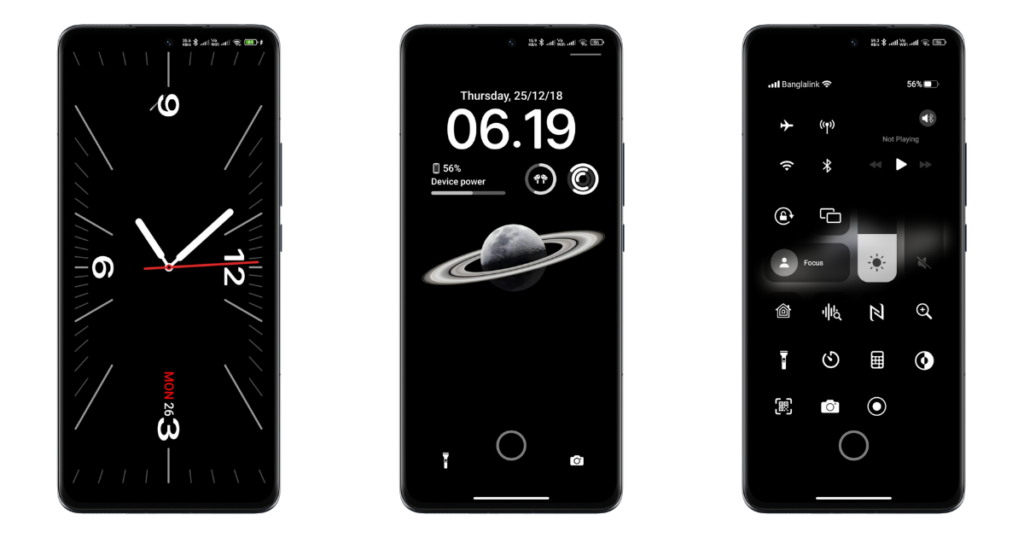
Madara Theme MIUI is a super premium iOS Theme for MIUI that sets all the premium iPhone-style experience. Here you will find a lot of customization options in the lock screen. Yes, as per your preference, you have a choice to select the best one from a large no. Of preset clock widgets, clock style, lockscreen layout, custom wallpaper and many more. Also, for Homescreen here, you will find the beautiful Homescreen UI with the optimized Dark Mode App Icons. Also, the minor changes in the system and control center icons like Wi-Fi, Cellular Data, Date and Time, Battery widget, etc.
As I said earlier, in every feature here, you will get the best and Super iPhone Style Experience by unlocking it. And for customization, you will have full access to do all from the Lockscreen swipe menu (visible below the center of the lockscreen, where you have to tap twice to open the customization option).
Top Features of Madara Theme MIUI
Exploring this premium Tema Madara Xiaomi not only enhances the aesthetic appeal but also helps to maximize the user experience. So, for you and your phone, after applying this Premium iOS Theme here, you will get these premium and cool features.
- Extensive customizable lockscreen with beautiful clock styles, advanced features, aesthetics, iOS lockscreen with different modes and effects,
- New and updated System app icons based on dark mode iOS Style with pre-optimized User experience,
- A large number of customizations in the lockscreen with different effects like birds, thunder, clouds, rain, and many more, as per your needs.
- Supportive premium wallpapers, Depth effect wallpaper, Live wallpaper and custom wallpaper integration option to get the best and eye-pleasing experience,
- Focus mode replicates the iOS experience with different modes and routine customization.
- iOS Control Center with a cool and premium outlook,
- Overall changes in UI, System Settings, System Icons and many more.
Tema Madara Xiaomi Preview
Here’s the screenshot of this premium Madara Theme Xiaomi screenshot that shares the major features and customization features that this theme offers to you after installing. After applying and unlocking using the Password ‘BANGLADESH’, you will be able to explore the similar UI and customization features in your Xiaomi phone too.
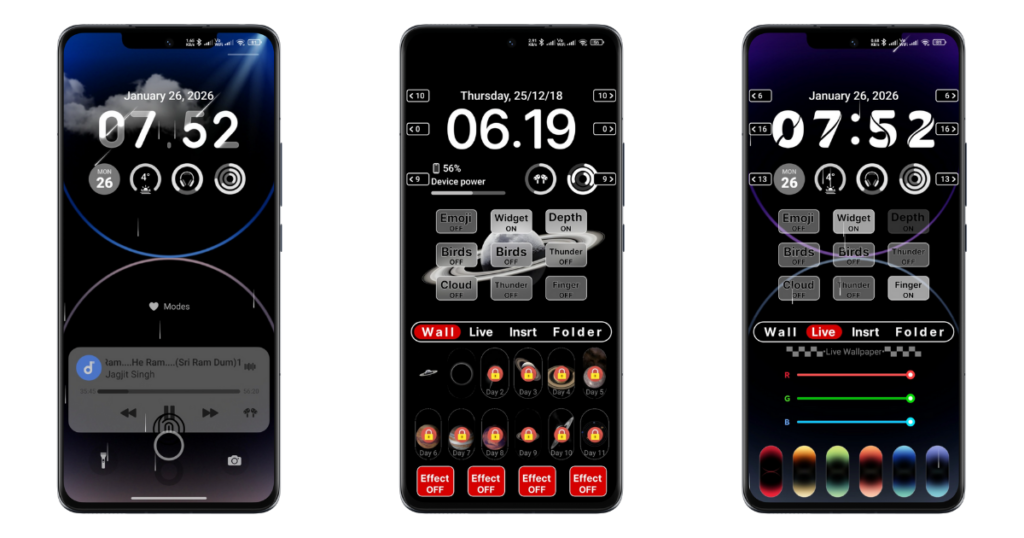
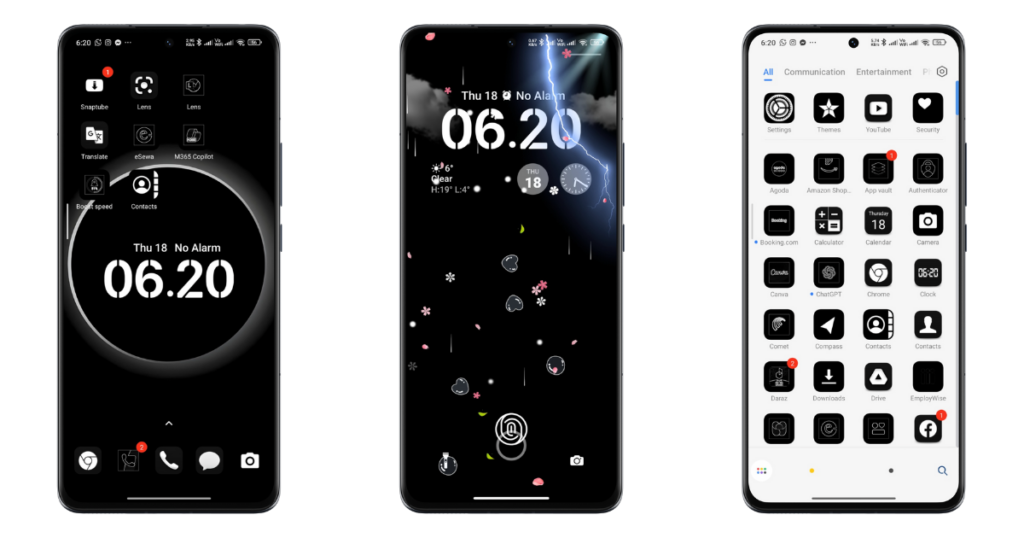
Note: Based on the device Model Name and Current HyperOS/MIUI version, the UI/Features may be limited. Also, you need to unlock this theme to explore the exact experience, the level of customization and accurate replication of the theme also totally depends upon the customization settings that you applied.
Customization Features on Madara Theme HyperOS/MIUI
So, after getting the major highlights and preview of the overall theme, let’s explore each spec in detail, so you will get the exact steps to explore the true experience for every feature mentioned here.
Lockscreen Customization: Customize the Clock widget, Wallpapers, and Design
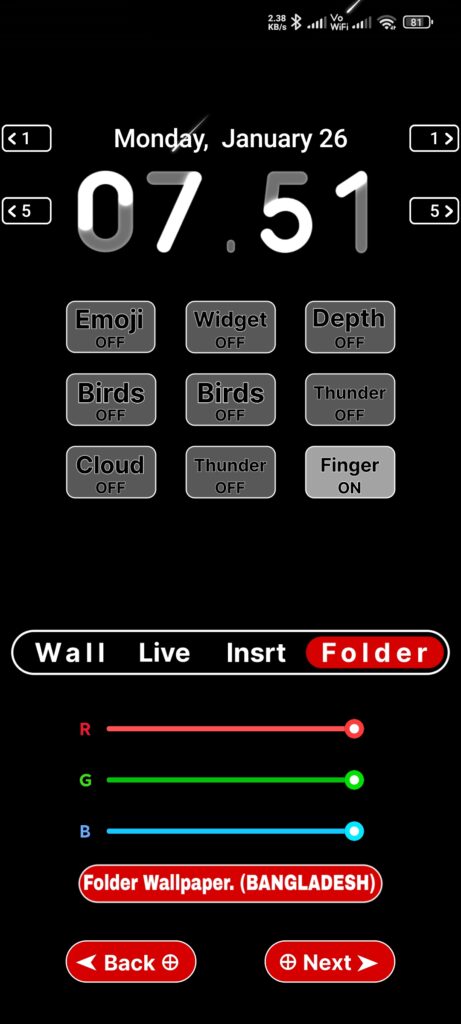
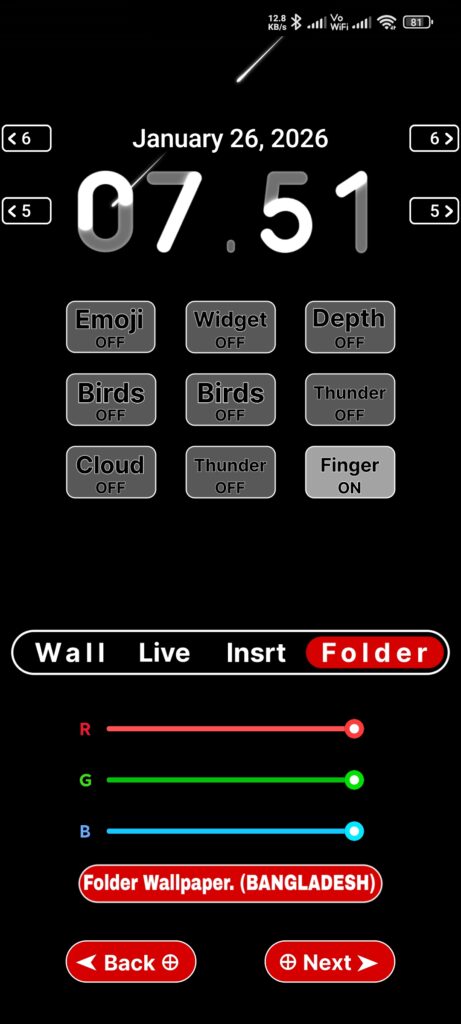
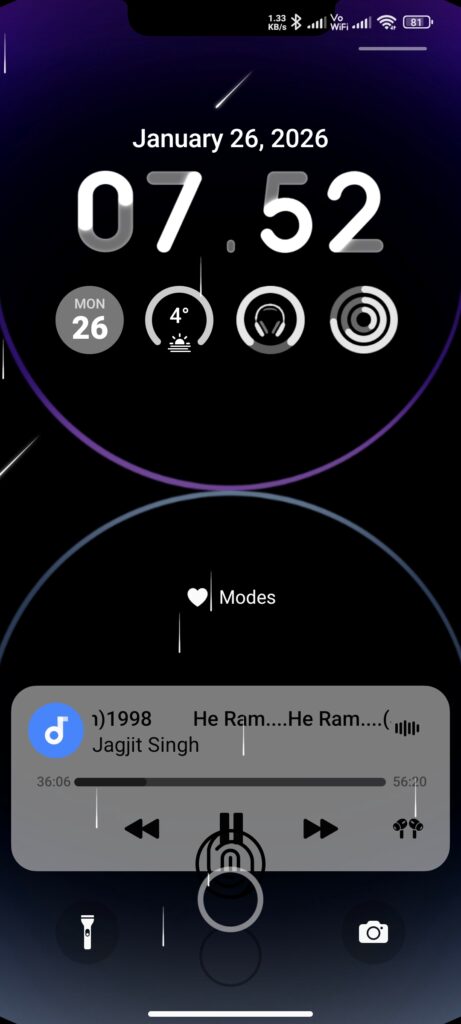
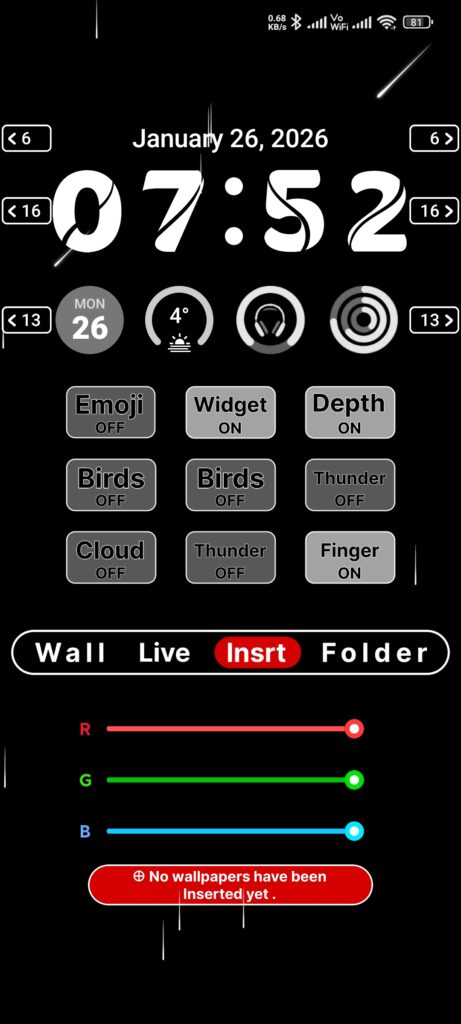
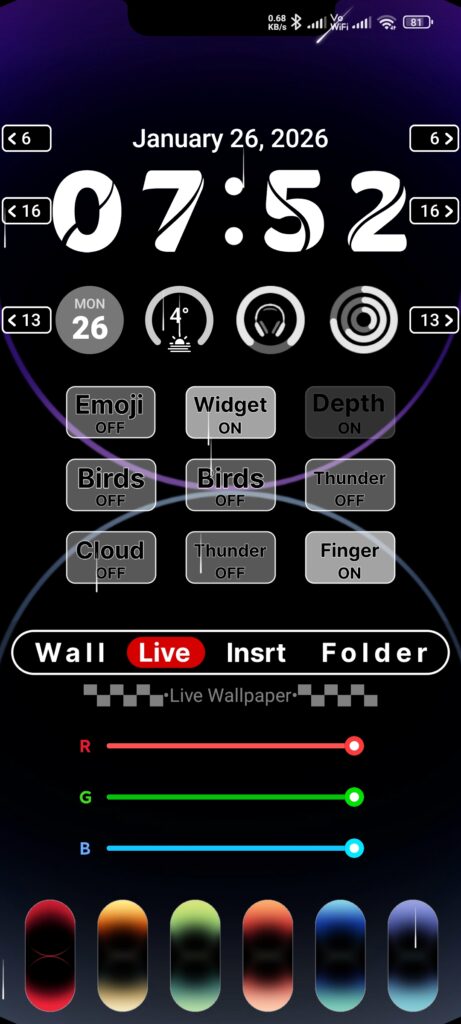
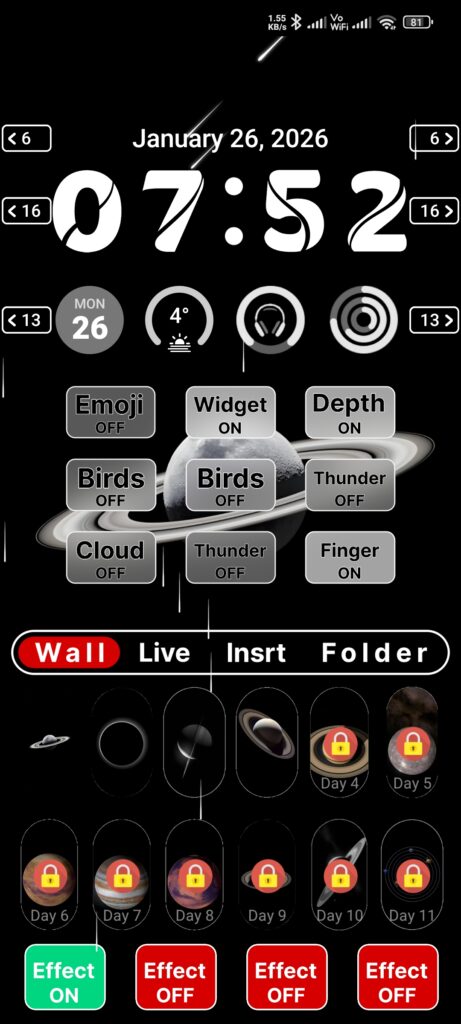
The biggest highlight of this Mdara Theme MIUI is its Lockscreen customization. Yes, in this theme, you will have an additional option to customize the theme as per your needs. After unlocking this theme, tap twice on the swipe button to open customization features. Here you will have a huge option to choose and apply the different clock widgets, date widgets, custom and preset iOS Wallpapers with and without other effects.
How to Apply:
From there, it will open the different customization options like ‘Wall’, ‘Live’, ‘Insert’, ‘Folder’ and toggle/swipe options to choose the different clock widget, date widget, and other minimal options to turn on/off easily. Also, there’s an option to apply an effect on every feature, like effect on Wallpaper, Effect on Live wallpaper, Effect on custom wallapper and many more.
Focus Mode: Set your custom Modes and Routines
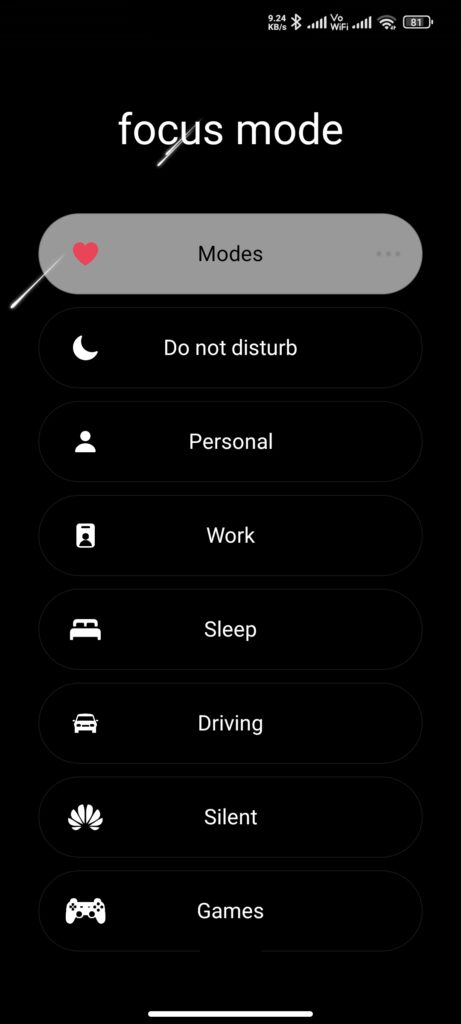
Focus Mode is another premium Madara Theme Xiaomi feature that helps you to help to explore all the preset modes and routines. As with iPhone, you will be able to get a similar experience simulator, so it makes you get a pure iOS-style experience, and it is customizable and looks premium on your phone.
How to Apply:
Here you can set the Focus Mode from My account>Lock Style>(Pre-selected Madara Theme) Customise>Unclock it by entering the password from ‘Enter password:’. Go to 10. Focus mode settings, and from there, enable and start customising your modes and routines. After that, you can access that focus mode in the lock screen of your phone. To explore that focus mode, tap on that mode.
iOS Control Center: iOS-Inspired Control Center Demo UI
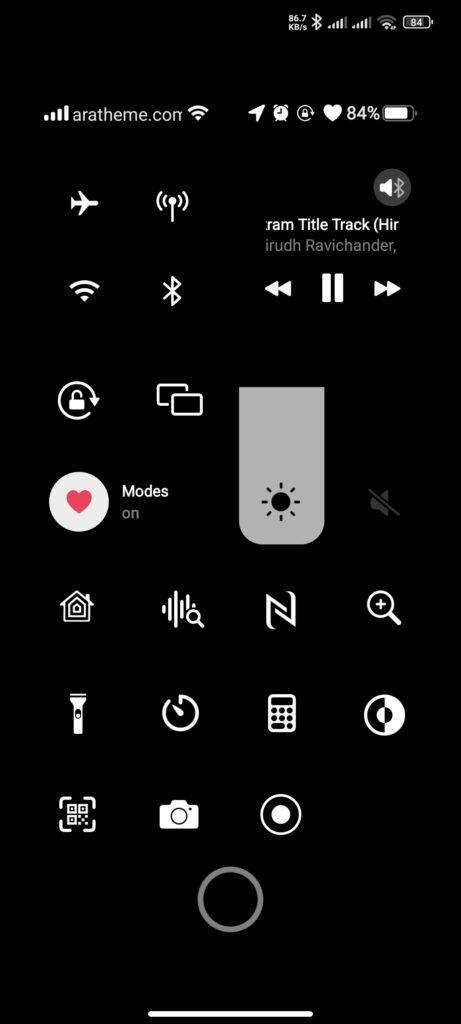
Let me be genuine, this Control Center doesn’t function; it’s just a demo, as you can see in this screenshot. Yes, here you will get the premium Demo iOS Control Center that looks really premium and attractive. Although this Control Center is not functional here, you will get all the premium and optimized layouts, which you can easily access from the lock screen of your phone.
How to Access:
At first, after applying this theme and unlocking it using the password, you have to restart your phone. If not, then you can also reapply the same theme after applying it. Lock your phone, and on the lock screen you will see a small line on the top right side of the screen, swipe down from that line to down, that’s it. You are successful in exploring the beautiful iOS Control Center in your Xiaomi (Redmi, POCO) phones.
AOD Clock Widget Hub: Explore Large No. Of Live AOD Clock
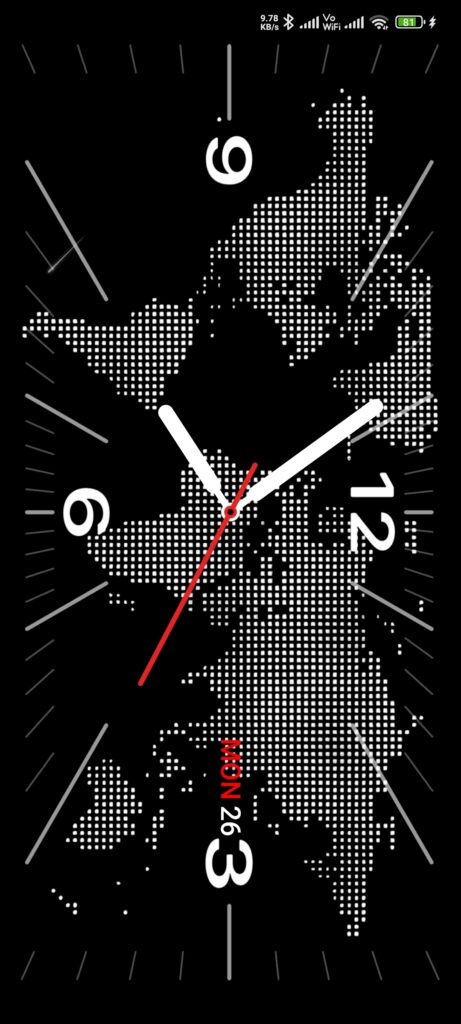
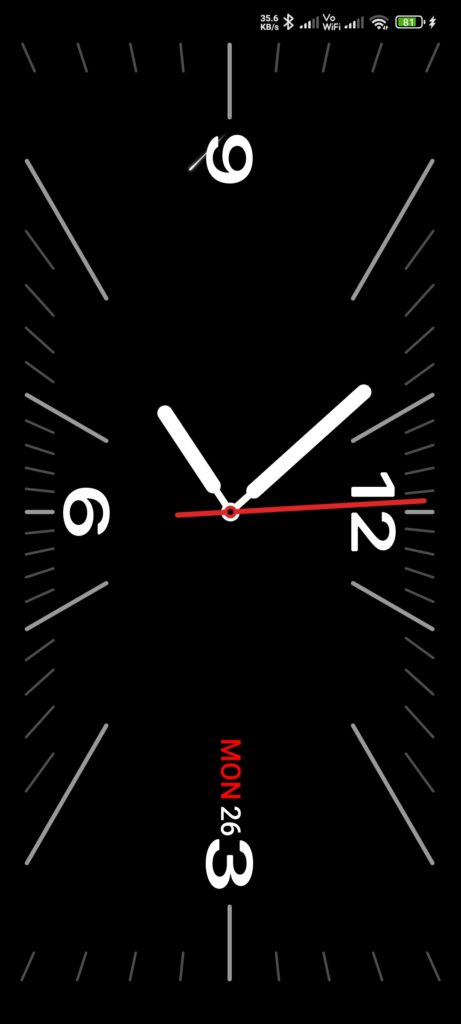
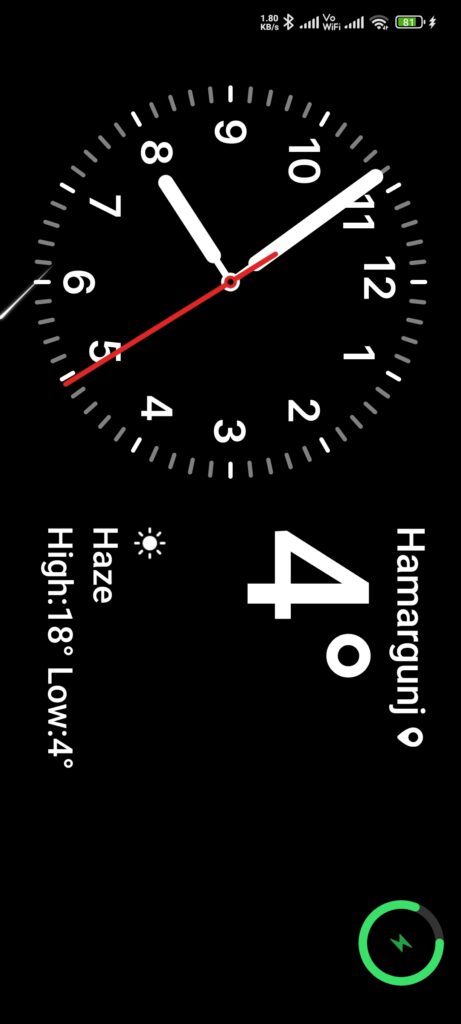
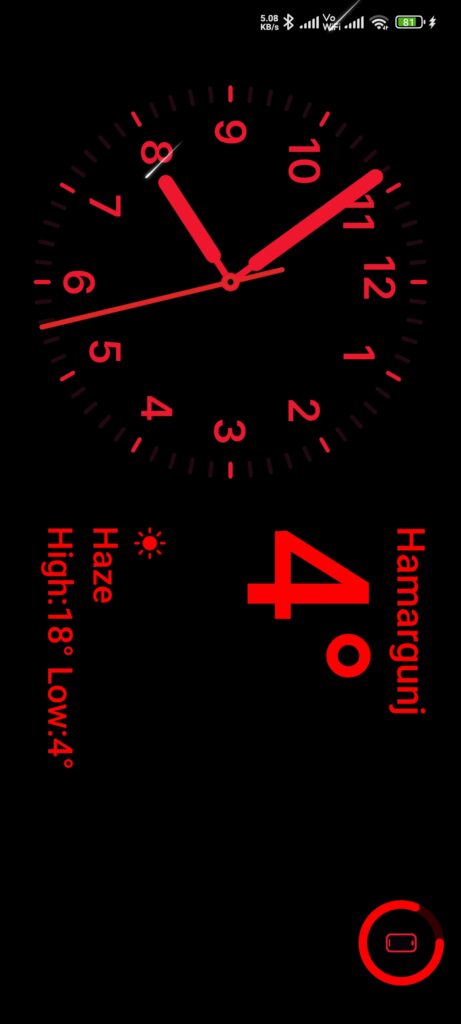
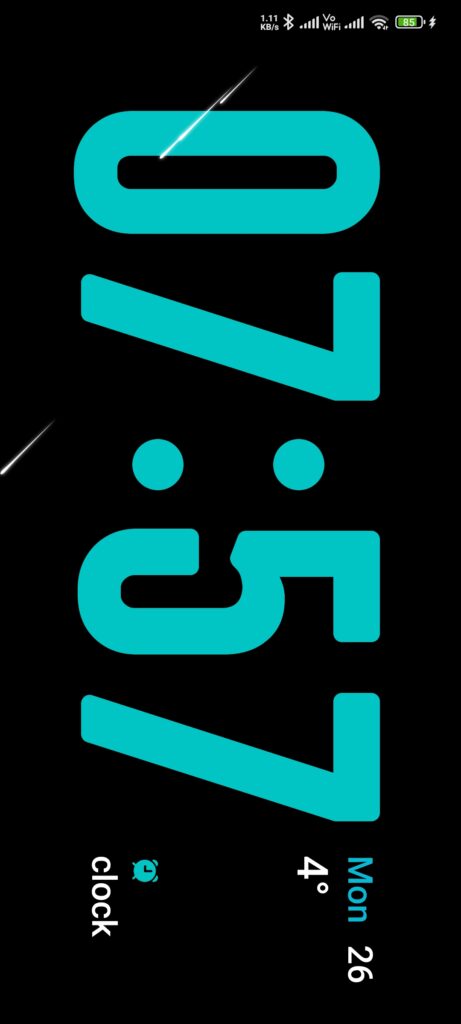
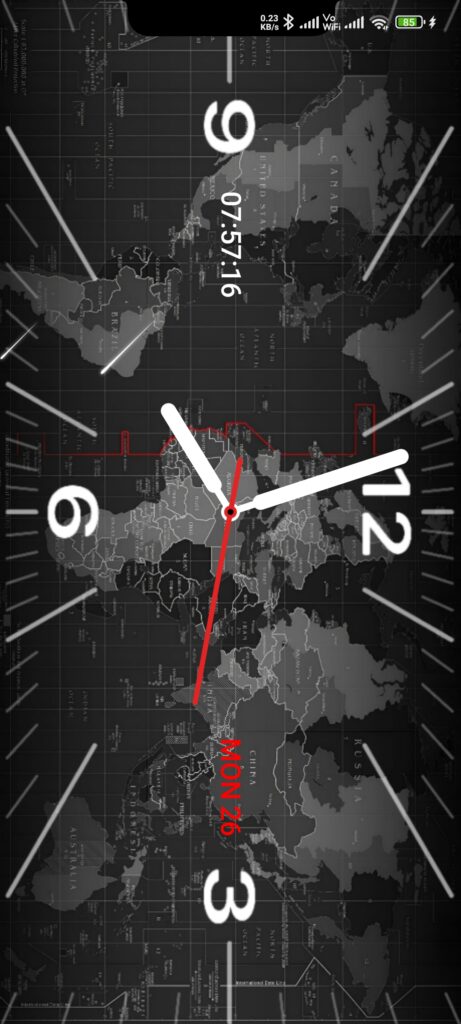
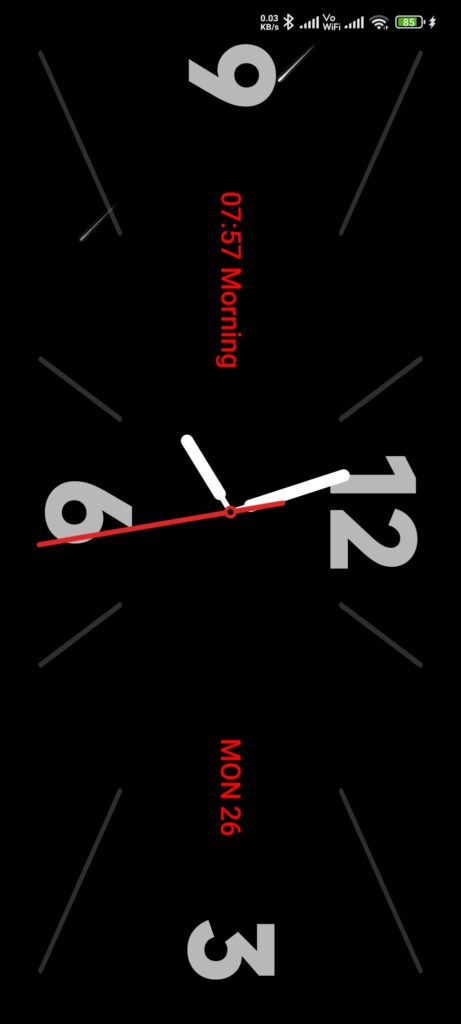
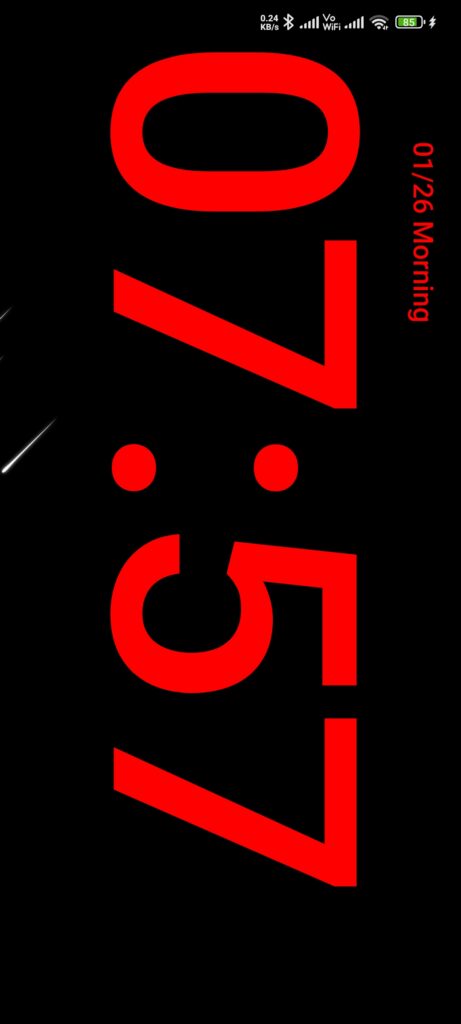
As I said earlier, here you will explore a large number. Of premium Clock widgets, these clocks are live widgets and landscape-oriented with Always on Display features. Yes, as you see in these screenshots, you have plenty of options to choose and explore the pure aesthetic experience.
How to Access:
Lock your phone, swipe down from the top left edge of your lockscreen, that’s it. Now here you will see the beautiful Clock animation with AOD Features, to see/apply/explore the next live AOD Clock, double-tap on the bottom area, and for the previous, double-tap on the top area (header side where date and time are shown).
Homescreen and App Icons
Here you will get a beautiful Homescreen layout, yes, the Homescreen is really impressive and premium with a lot of minor pre-customized experience. Yes, here you will have a different option to explore and get all the best experiences to make it more modern, premium, and give an iPhone-style touch. At first, here you will find minor changes in Homescreen UI.
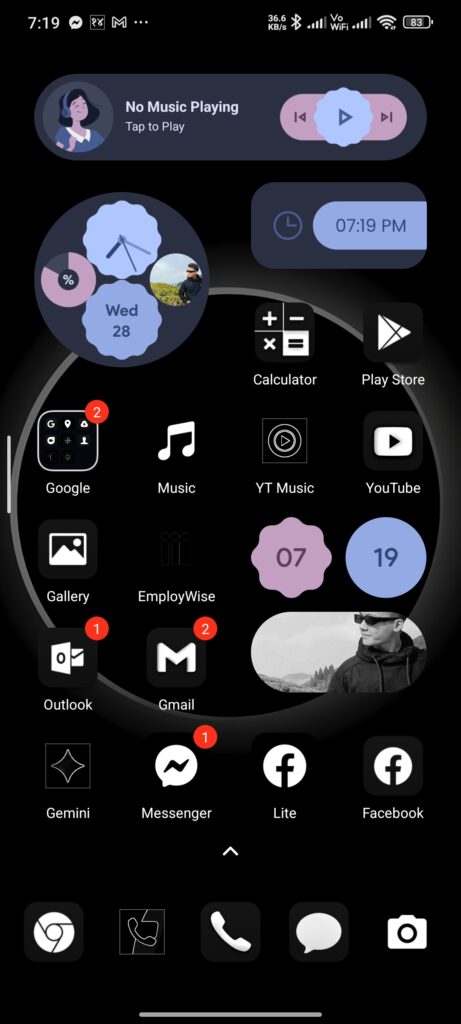
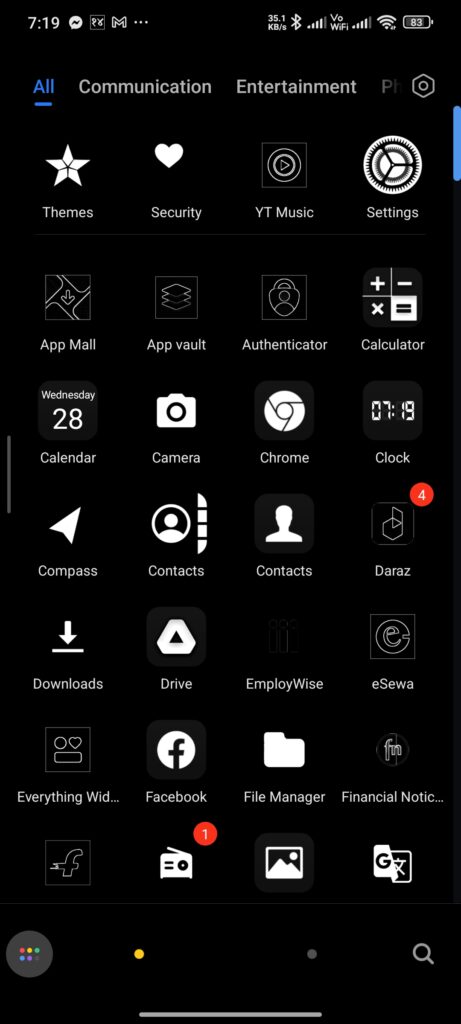
Also, its iOS App icons are really impressive, yes, it’s similar to iPhone app icons. Still, due to dark mode experience it may looks quiete differnet at first, and also the minor changes and other in-home screen layout are really impressive.
Dynamic Island from Music & Dynamic Island for Lockscreen
Like some pure iOS Theme for MIUI, this Madara Theme HyperOS doesn’t apply its Dynamic Island inside the homescreen, which also supports the reminder, notifications, calls, etc. But in this theme, we can find it’s Dynamic Island only works on the Lockscreen, which you have to enable from the customize section inside the themes app.
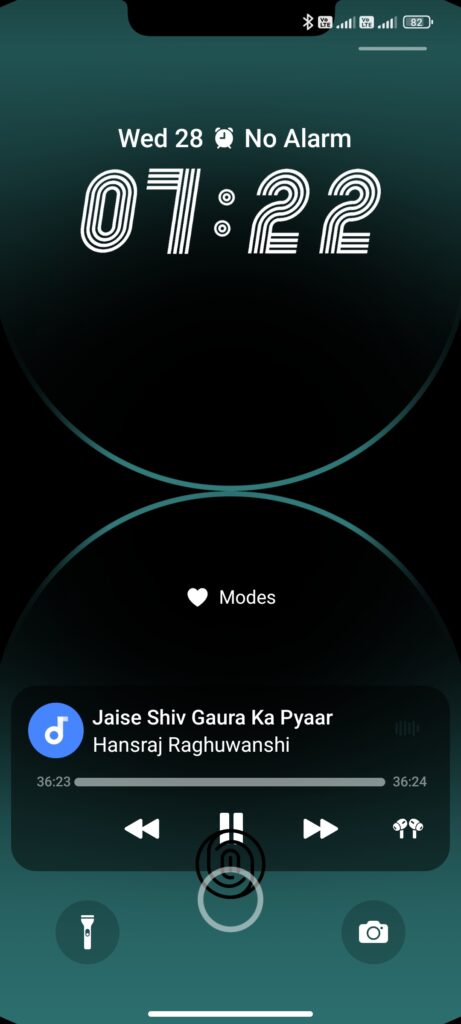
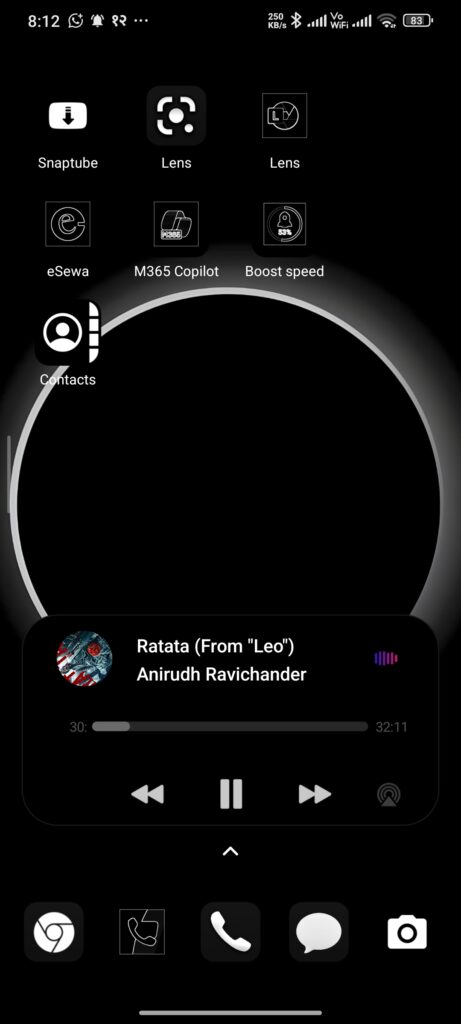
Also, after enabling it, you can explore this dynamic island inside the Home screen of the Music widget. You have to add the widget from the Homescreen to explore this music island. After applying it, this Dynamic Island works perfectly to open and explore the music.
How to Access: For Lockscreen Dynamic Island Go to>My account>Lock style>Customise>Go to 16. and find Lock Screen Notch>Choose the desired Notch from ‘Lock screen bangs style’.
iOS Dailer (non-Global Users)
If your phone is running on region-based ROMs like HyperOS India, HyperOS China ROMs, then you are the lucky one to get the default HyperOS/MIUI Dialer. As you know, in Global ROMs, we miss the default Dialer of Xiaomi that features the Auto Call recording.
So, if you are in non-global ROMs, then you will find the beautiful iOS Style Dialer in your phone after applying this theme. But for Global Users, you will not get any changes as it’s not applicable in the Global Google Dialer.
Theme Madara HyperOS Details
This premium Madara Theme MIUI sets all the premium customization features that make it one of the Best MIUI Themes. So here are the package details about this theme,
Madara Theme Download Links
Most of the Xiaomi HyperOS Themes (except some) are available in the Xiaomi Theme Store. So, from that theme store, you can easily download and apply any theme that you require. So, if you want to download this tema madara xiaomi then here I have shared with you an official link including the MTZ File so it can be easily installed by importing from the Themes App (if not supported in Indian and Chinese ROMs).
Madara Theme Links
Get Download Links for MIUI & HyperOS
Note: We don’t hold or share any copyright content; it’s an official link from Xiaomi Theme Store to download and apply this theme.
Process to Apply Madara Theme MIUI (from Official Link)
The most easy and most effective way to download and apply the themes in your Global ROMs device is just by accessing the Official Store link. From there, you have to download and apply to explore the full iOS Experience from this theme. So, let’s get into the steps to apply it within a few minutes.
- Tap on the Official Store Link from the above Download Links; it will redirect you to the Madara Theme page in the Theme Store App.
- Tap on Download, and it starts downloading the theme.
- Apply it after successfully downloading,
- That’s it.
Unlock: As I said to you earlier, you need to unlock this theme. To unlock Go back to the My account>Lock style>Leave it as Madara theme as selected (tap on ‘Customise’), Inside Enter Password – ‘BANGLADESH’. Now start customizing.